Save recipes now. Find them when it's time to cook.
DishVault is a recipe saver for home cooks who find dinner ideas everywhere. Keep editable recipe cards together instead of hunting through bookmarks and screenshots.
How it works
- Add a public recipe link, a recipe image, or your own recipe.
- Review the ingredients and instructions; correct anything missing.
- Save the recipe to your vault and organize it in a collection.
- Choose meals, check your grocery list and open the recipe to cook.
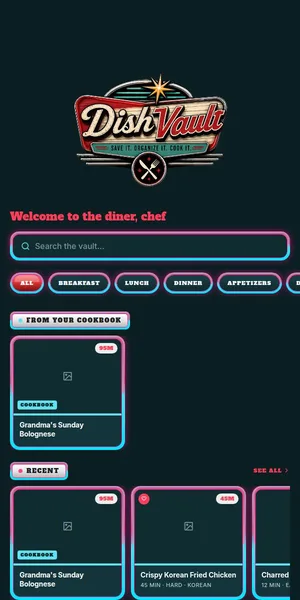
Save the source, not just a bookmark
Paste a public recipe link or add a photo or your own recipe. Review the imported ingredients and steps, then keep the original source link with the card.
Organize for your next meal
Put recipes in collections so weeknight ideas, baking projects and family favorites are easy to revisit.
Go from idea to dinner
Choose saved recipes for your meal plan, build a shopping list from ingredients and open the recipe when it's time to cook.
Frequently asked
Can I save a recipe from a website?
Paste a public recipe URL to create an editable draft. Some sites restrict access; in that case, add the recipe yourself.
What happens if the import misses an ingredient?
Review and edit the card before relying on it in the kitchen. Extraction depends on what the source provides.
Is this more than a bookmark manager?
Yes. Saved recipes become cards you can organize, plan from, and use to make a grocery list.
Related DishVault guides
Try DishVault — Create Free Profile. No credit card required.