Keep family recipes where you can use them.
Turn a family recipe card or someone's favorite dinner into an editable recipe in your personal vault. Share an individual recipe when you want another cook to try it.
How it works
- Add a public recipe link, a recipe image, or your own recipe.
- Review the ingredients and instructions; correct anything missing.
- Save the recipe to your vault and organize it in a collection.
- Choose meals, check your grocery list and open the recipe to cook.
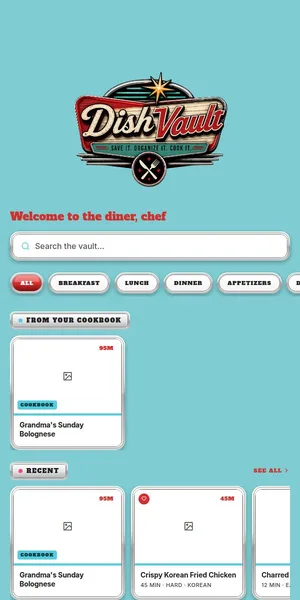
Preserve the details
Add a photo of a recipe card or type a recipe, then check measurements and instructions against the original. Keep your own notes on what worked.
Find the family favorites
Organize recipes in collections so everyday staples and special-occasion dishes do not get lost among new ideas.
Plan and share selectively
Use saved recipes in your meal plan and grocery list. Share an individual recipe with others when you choose; a shared household vault across accounts is not available yet.
Frequently asked
Can everyone in my family edit the same vault?
Not currently. Shared household vaults are not available; you can share individual recipes.
Can I add a handwritten recipe?
You can add a photo of a recipe card. Review the resulting draft carefully, especially handwritten quantities.
Are my recipes public by default?
No. Recipes remain private unless you choose to share or publish them.
Related DishVault guides
Try DishVault — Create Free Profile. No credit card required.